Every person, position and workflow on one record.
The roster and profiles, the org chart, positions and billets, talent, government forms and the personnel workflows that move people in, across and out of the organization, with training and development tracked against each person and role.
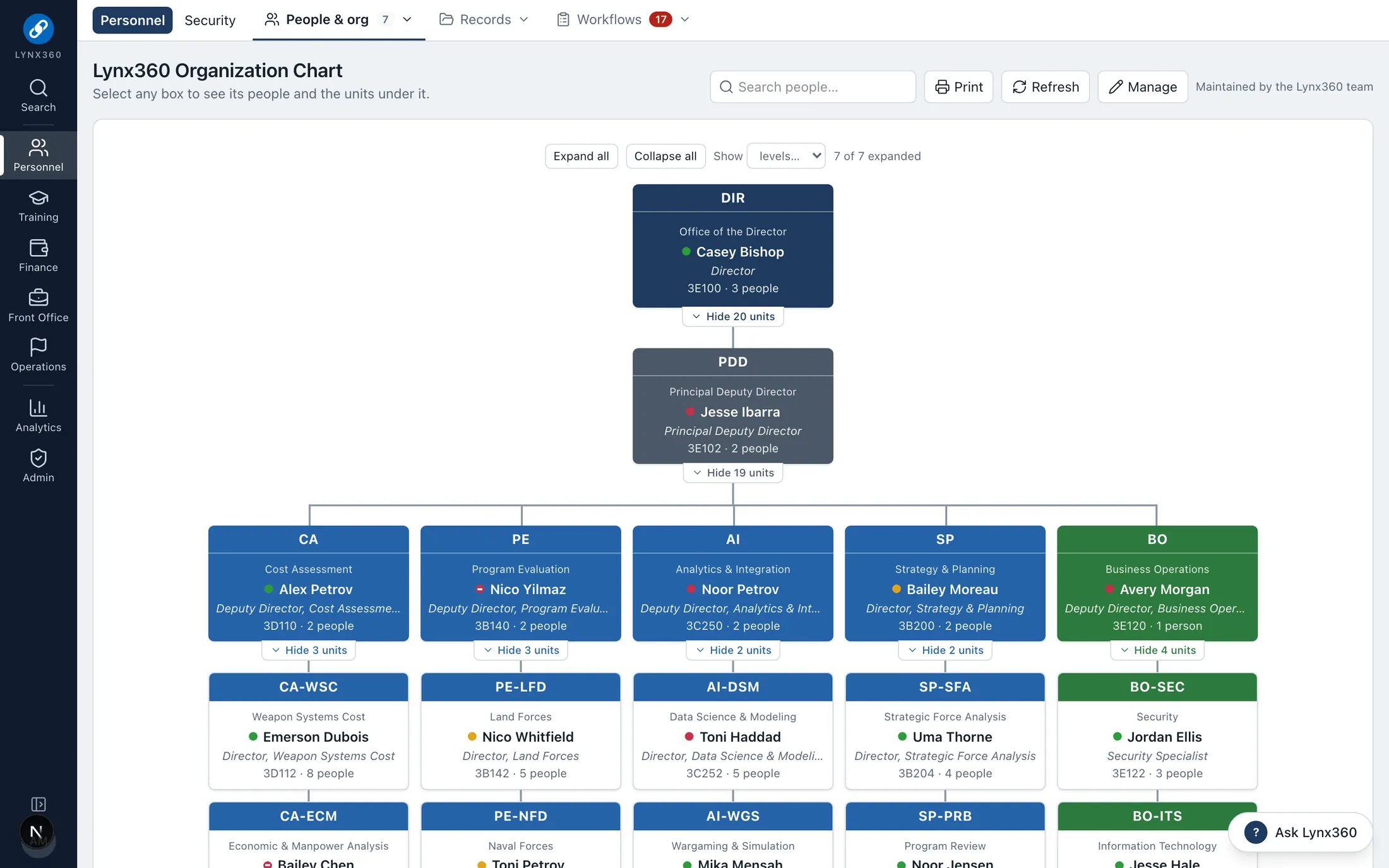
The org chart: select any box to see its people and units
Brings together
What PeopleLynx replaces.
Roster spreadsheets
Emailed access, telework, leave and training forms
In- and out-processing checklists
Training tracking by hand
Who works in it
Every seat, its own view.
Supervisors and alternates
Admin Officers
Personnel staff
Training coordinators
Every employee
Each person sees the features their roles open, and only the records their scope allows.
What PeopleLynx does
Personnel, positions, onboarding and workforce development.
Roster, profiles and Find an expert
One roster in a configurable grid, a phone roster grouped by office, and profiles with skills, proficiency levels, mentoring and shared knowledge.
Find an expert matches people by recorded skills and proficiency
Restricted personal and security columns show only to people whose role allows them; the values never reach anyone else’s browser
Teams presence beside each person, from Microsoft Graph
More
Every column chosen, filtered, grouped, saved as a view and exported
Org chart and offices
The organization as it is: units, leaders and who sits where, maintained in Lynx or rebuilt from your directory.
Maintained by the personnel team, or synchronized from the departments and managers in your directory
Graph change notifications update the chart within about a minute
Each office carries its mission, room, phone and color
Positions, billets and manning
Positions and billets with their incumbents, manning by office, and a vacancy scorecard that shows where the organization is short.
Positions tied to people, offices and contracts
Manning and vacancy reports by office
Talent records: personnel actions, evaluations and awards
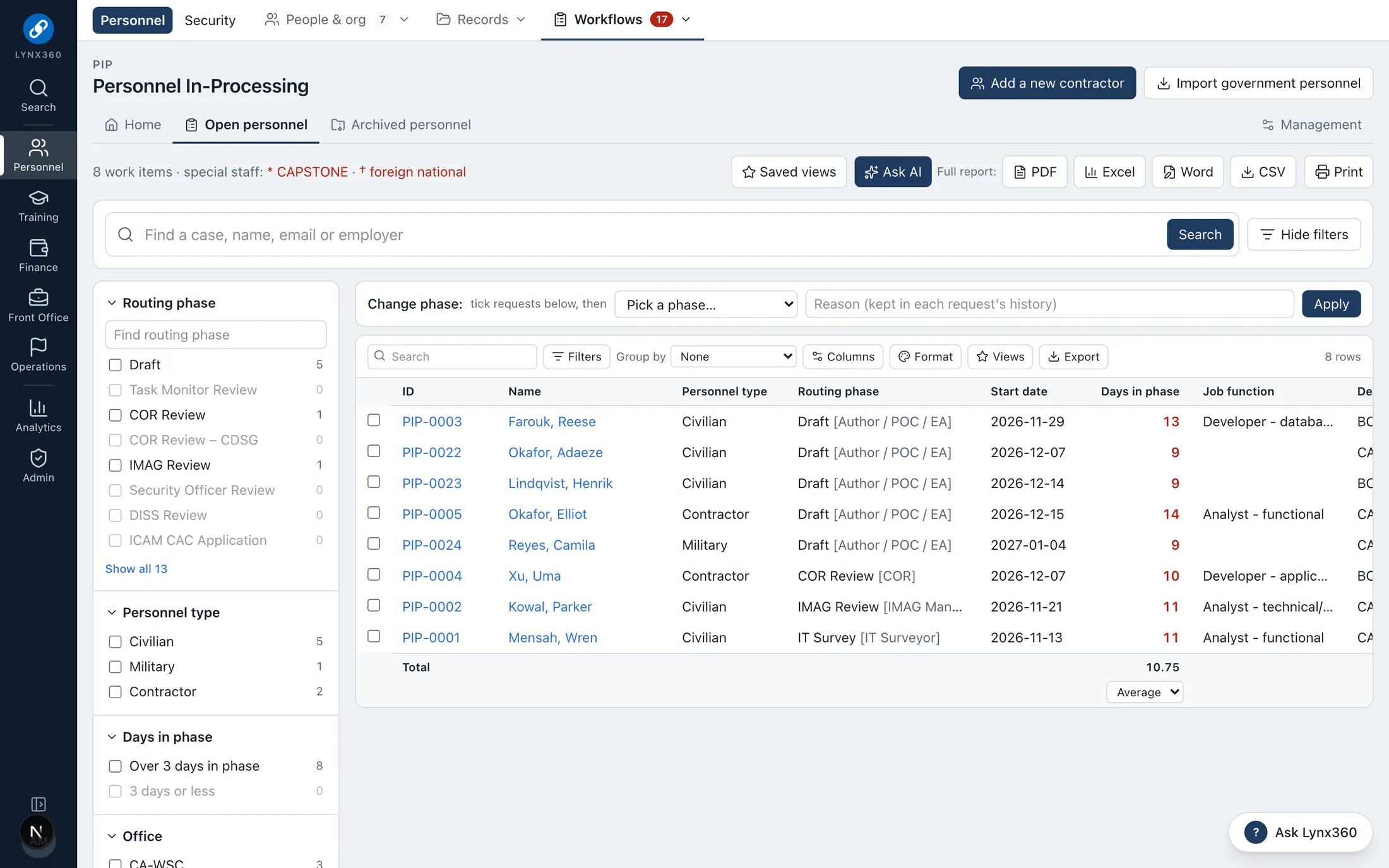
Personnel workflows
In-processing, out-processing, moves, contractor CAC renewal and visit requests, each routed phase by phase to the people who own each step.
A DCPDS gain starts the onboarding cascade: accounts, equipment, training and security tasks for each office
A move hands off the person’s equipment to the right property holder
Contractor CAC renewals raise reminders before the card lapses
Ad hoc routing: send any case to another reviewer, who acts from their own task list
More
Administrators change phases, owners, fields and notifications on each workflow’s Management page
Government forms
Government and organization forms filled in online, prefilled from each person’s record, completed section by section by the right people and signed electronically, including system access requests (DD 2875), telework agreements (DD 2946), leave requests (OPM 71), training authorizations (SF 182) and local expense claims (SF 1164).
Prefilled from the roster and profile, so nobody retypes their name, office, position or supervisor
Each form offered only to the people it applies to: civilians, service members or contractors
Never asks for a Social Security number or bank details: payroll already holds them
Each section belongs to someone: the person completes theirs and signs, then the supervisor completes theirs and approves or returns it
More
Waiting signatures and returned forms show on each signer’s home page
Every step recorded: who signed, when, and what they decided
Each form seen only by the person, their supervisor and personnel staff
Form contents treated as sensitive: the audit log records each step, never the values
Signatures are electronic acknowledgments with the signer’s name and time, written by the server
New forms added as templates, without changing the application
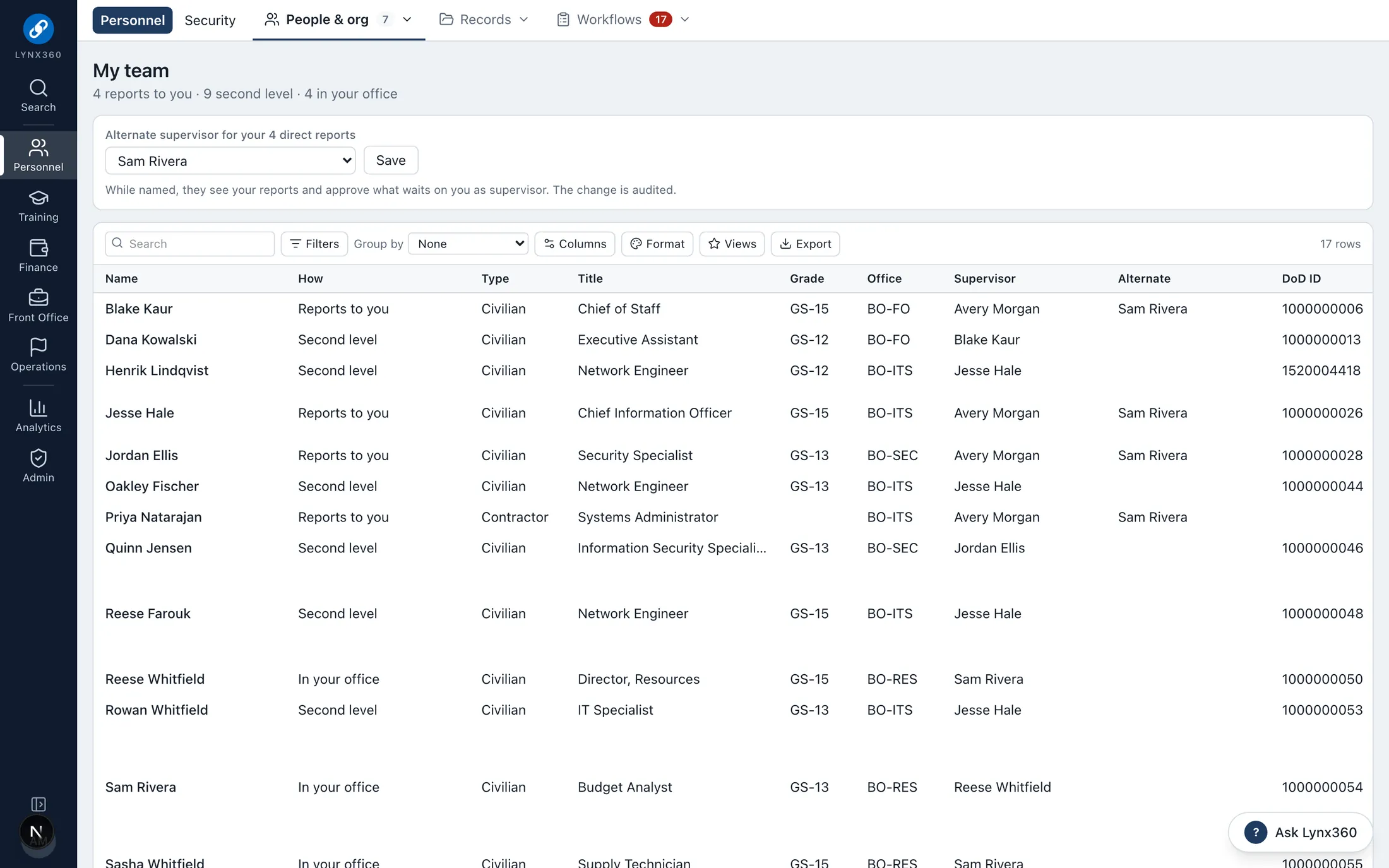
My team
Supervisors, alternate supervisors and second-level supervisors see their own people; Admin Officers see their office and the offices under it.
Each person’s training, CAC and clearance dates, with what is due
Alternates act while the supervisor is away
Scope follows the org chart, so it stays right as people move
Training and staff development
Training requests routed to approval and funding, mandatory training with validation, a Staff Development Portal and individual development plans.
Training Request System: request, supervisor, funding and completion, phase by phase
Mandatory training tracked per person, with reminders before it lapses
Individual development plans and learning plans on the DoD 8140 work roles
Workforce readiness and training history, reported in Office formats
See it
PeopleLynx in Lynx360.
Real screens from the Lynx360 demonstration environment, with synthetic people and data.
Onboarding: every new person, by phase, with days in phaseMy team: direct reports, the second level and an alternate
One data model
How PeopleLynx works with the other modules.
The modules share people, offices, budgets and records, so work in one becomes controlled action in the others rather than re-keying.