A service desk with a plain-language catalog, queues and service levels. Accountable property with signed hand receipts, kits and work orders. Travel from request to voucher, facilities and room booking, and a personal home page that shows each person what is waiting on them.
Each person sees the features their roles open, and only the records their scope allows.
What OpsLynx does
Service desk, property, travel, facilities and the intranet.
Service desk
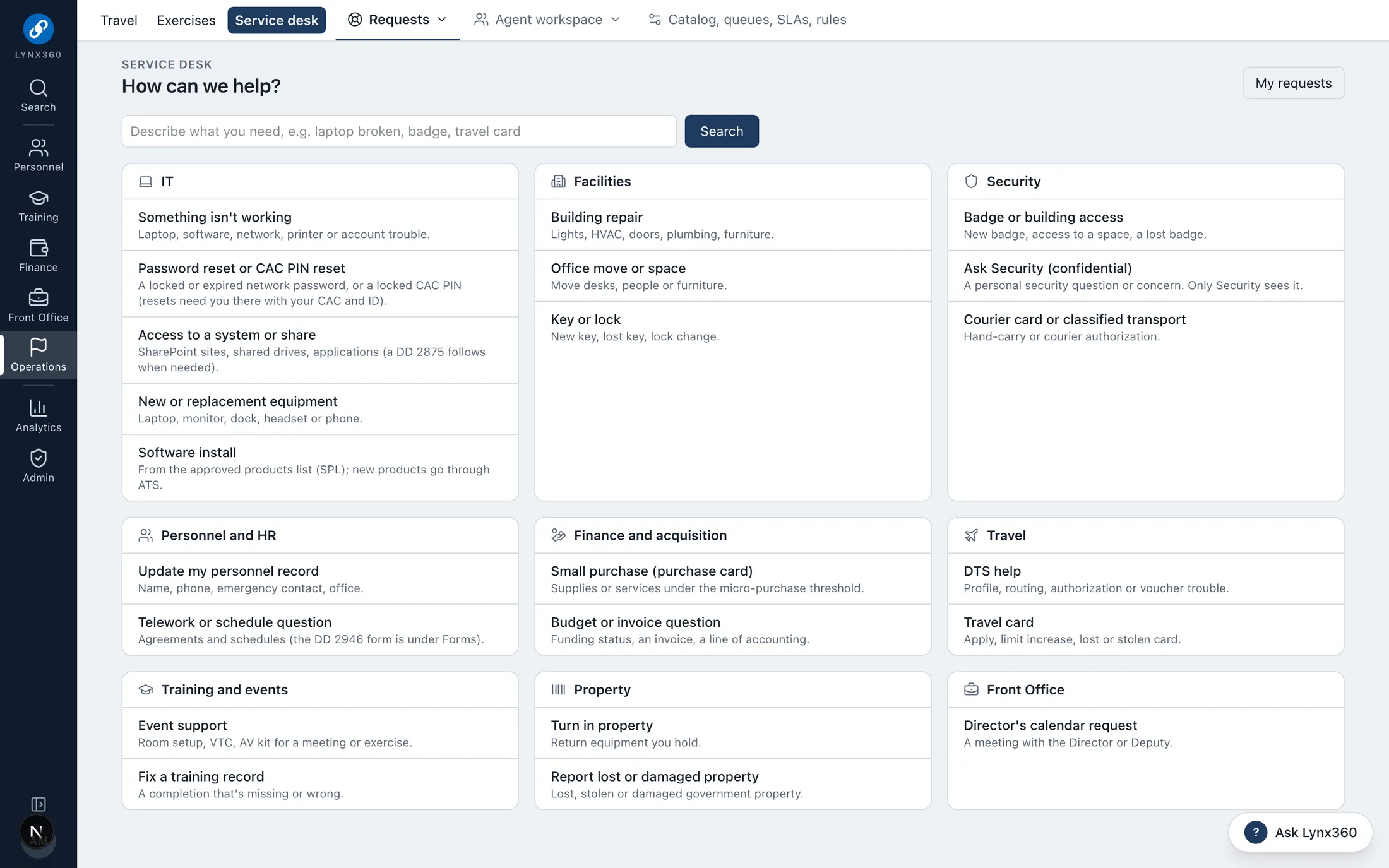
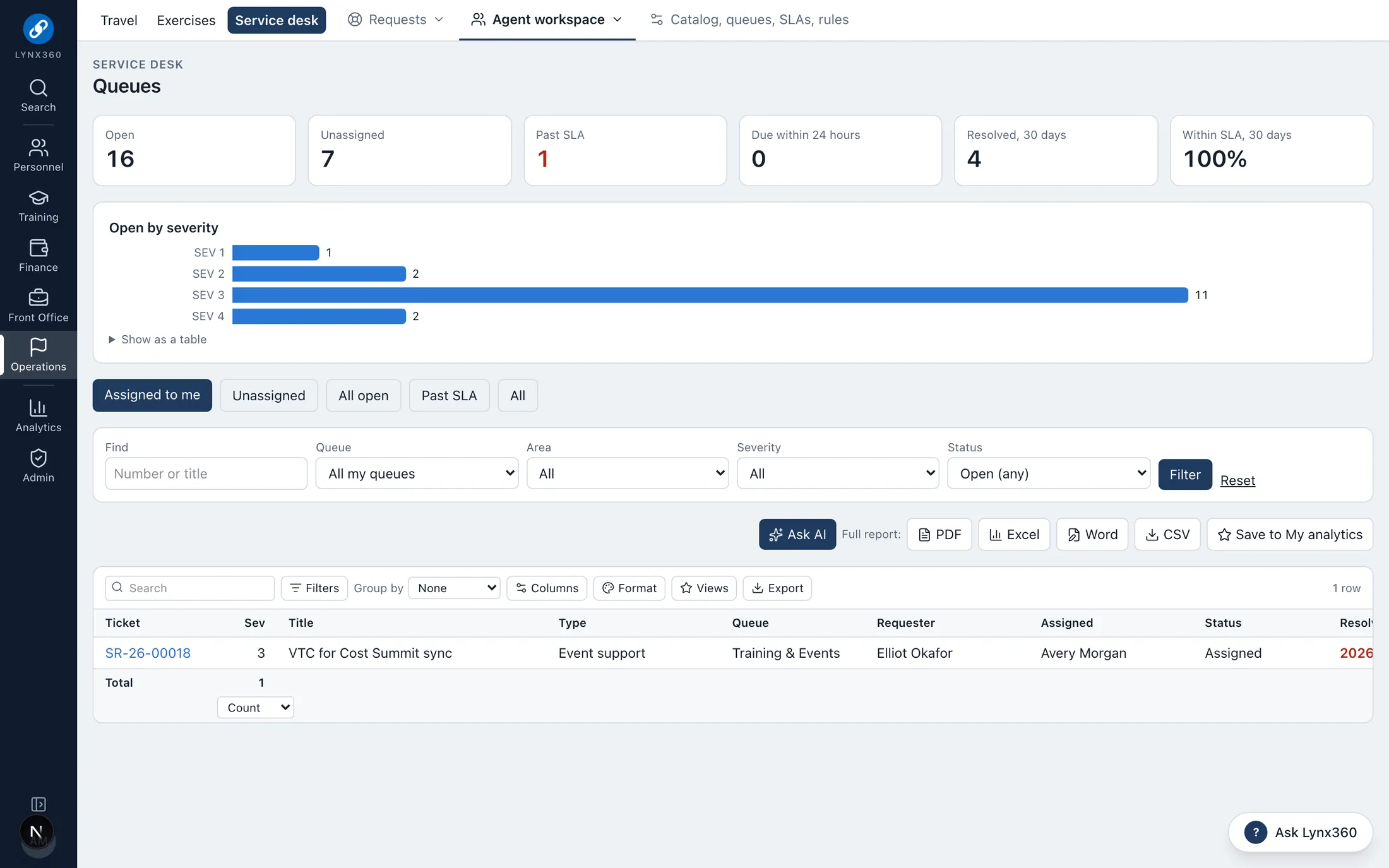
A request catalog by area (IT, facilities, security, personnel, finance, travel, training, property, front office), agent queues with service levels, approvals, automation rules and a knowledge base.
Requests in plain language; agents work queues with SLAs and escalation
Automation rules route, assign and notify
Optionally opens each ticket in the ticketing system you already use, or any webhook, per queue
Lynx stays the system of record: changes are saved first, sent after, retried on failure and logged
More
Report a problem from any page
Property and assets
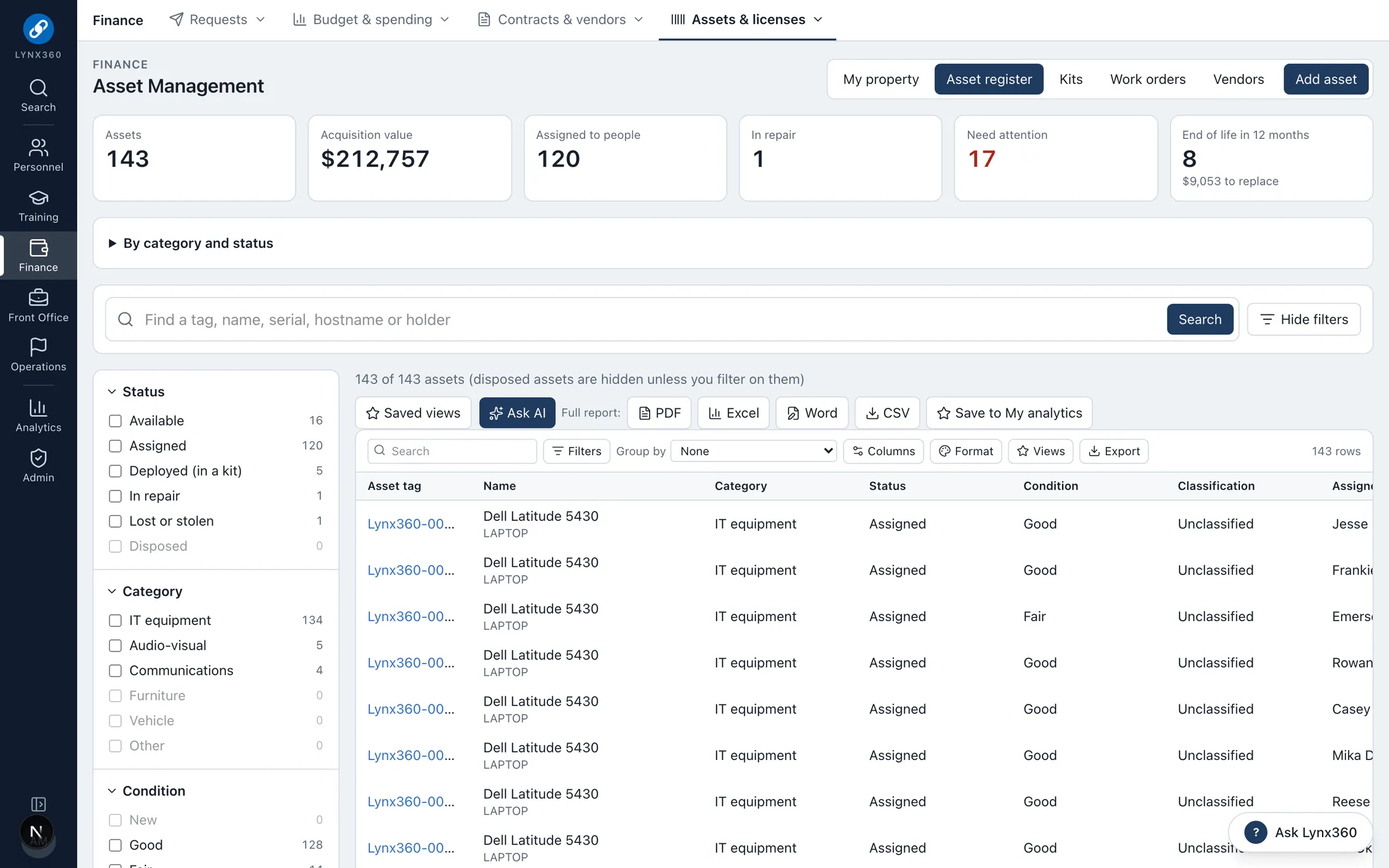
Assets with assignment, lifecycle, maintenance and licenses; kits with contents, deployments and inventories; and an electronically signed hand receipt for every holder.
Everyone sees My property and signs their hand receipts
Hardware bought through FinanceLynx is received into the register automatically
Licenses installed on each asset, with seats counted and over-use flagged
Kits signed out to events and checked back in, item by item
More
Losses notify the asset manager for a financial liability investigation; disposals record their reference
Travel
Travel requests routed from traveler to supervisor, funds certification, foreign travel security review, authorization and voucher, with per diem estimated as the Joint Travel Regulations set it.
Lodging and M&IE recalculated whenever dates, destination or costs change
DTS stays the system of record; Lynx records the authorization and voucher numbers and amounts
Travel card register: training, expiration and delinquency
More
Reports: spend by office, purpose and destination, late vouchers, trips without an authorization, open obligations
Facilities, room booking and keys
Buildings, rooms and sites with classification, capacity and VTC. Anyone books a room after an availability check, and the facility manager approves. Key control records who holds what.
Home page and intranet
Each person starts from a personal dashboard: their own details with reminders before anything lapses, action items first, announcements for their roles, and tiles filtered to what they may use.
Responsibilities: each role’s duties and the tools that come with it
Favorites, collapsible cards and an arrangement each person keeps
The intranet’s sections, links and announcements managed in Lynx, with a link health check
More
One search box for people, cases, offices, training, announcements and publications
See it
OpsLynx in Lynx360.
Real screens from the Lynx360 demonstration environment, with synthetic people and data.
Agent queues with service levelsThe asset register: who holds what, and what needs attention
One data model
How OpsLynx works with the other modules.
The modules share people, offices, budgets and records, so work in one becomes controlled action in the others rather than re-keying.